Centralized remote computer management system for IT teams and sysadmins. Connect an unlimited number of Windows and Linux machines, run commands one-by-one or across all of them at once, manage files, take over the desktop in real time, collect logs and receive SOS signals from users — all from the browser, with no VPN or public IPs. Clients reconnect and self-update automatically, and access is scoped by tokens.
This is self-hosted software, not a service. After you buy a license, your own isolated instance of the application is automatically provisioned for you to operate yourself. We deliver a ready-made program for you to run your own service — we do not provide technical support, remote administration, or diagnostic services.
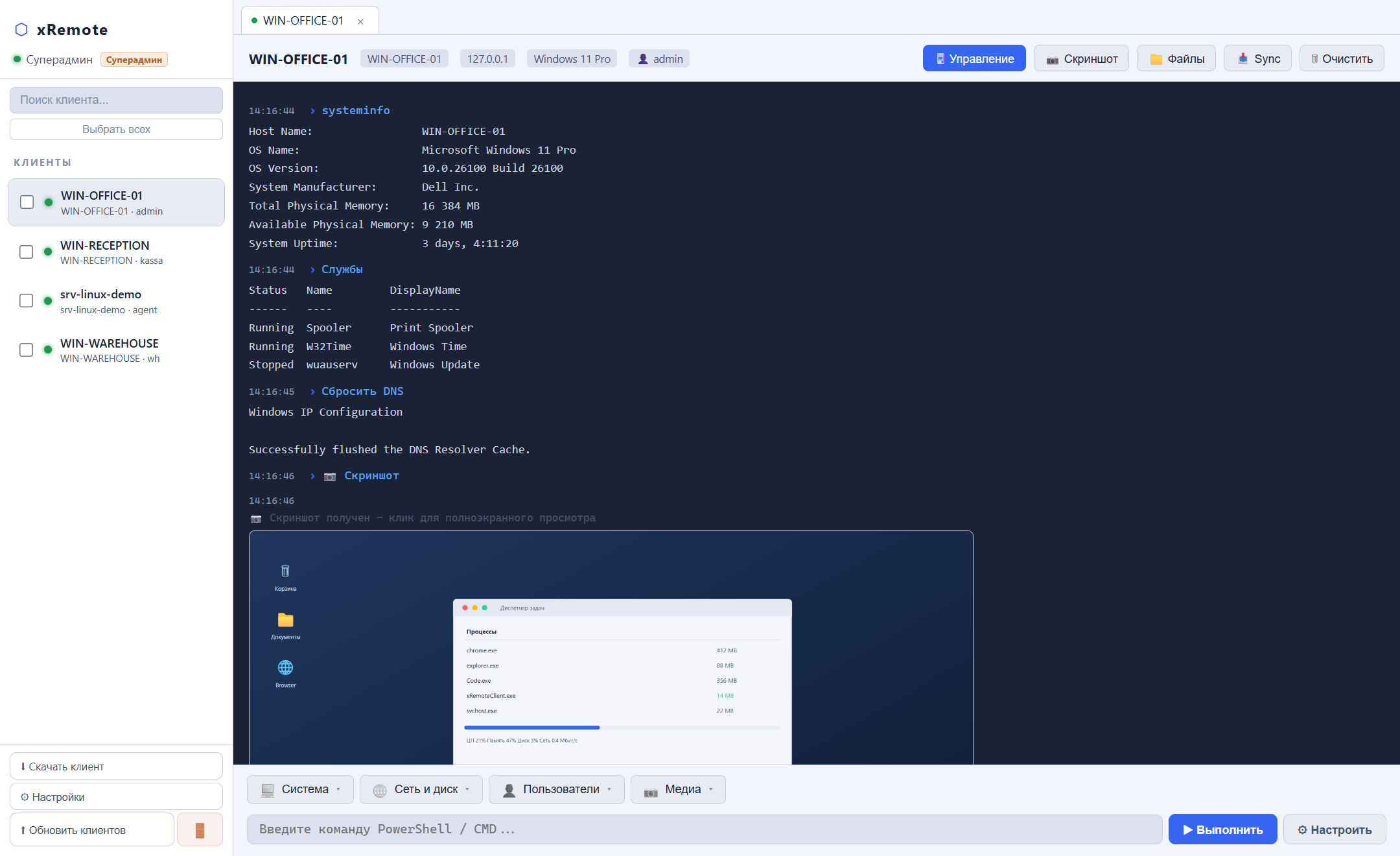
Run PowerShell, CMD and bash commands on any connected machine. Live terminal with history, exit codes and error highlighting.
👥
Batch Commands (fan-out)
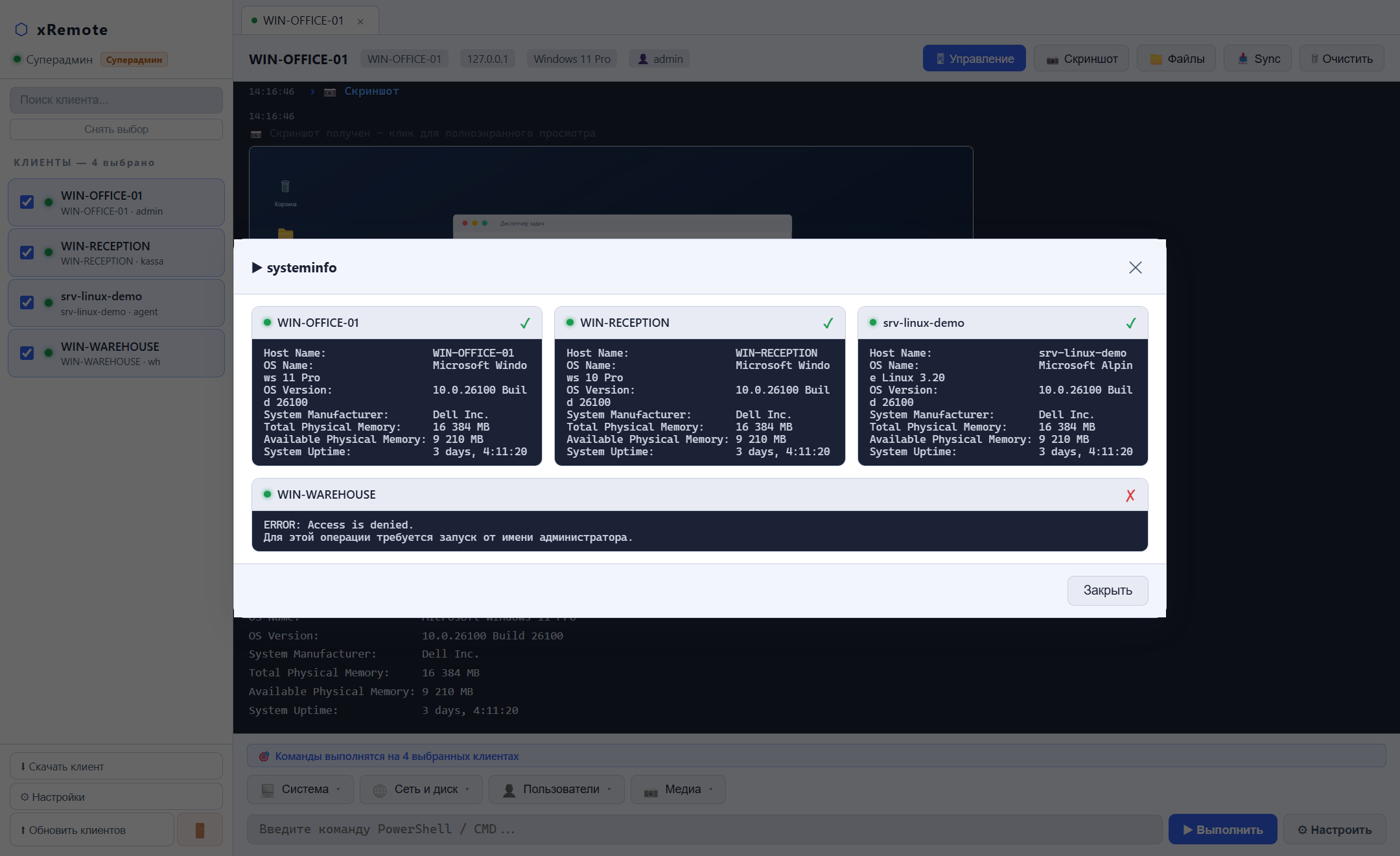
Select several clients and run a single command on all of them at once. Per-machine results are collected live in a dedicated view.
🗂️
Command Library & Groups
Save frequent commands as preset buttons, organize them into grouped dropdowns and push a whole script folder to clients in one click.
📁
File Manager
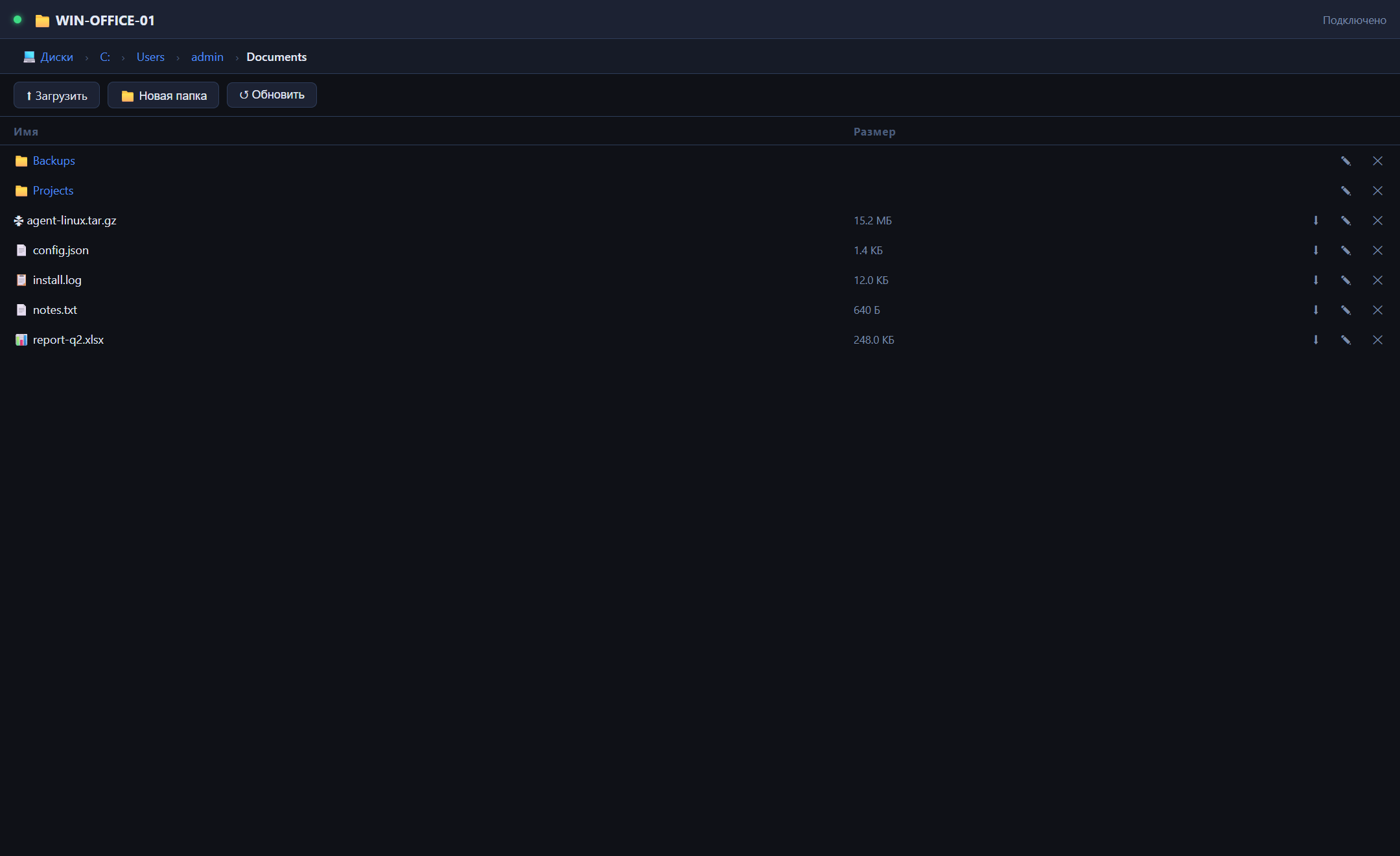
Full-featured file system browser: upload/download, create folders, rename, delete and drag & drop move.
🖥️
Remote Desktop
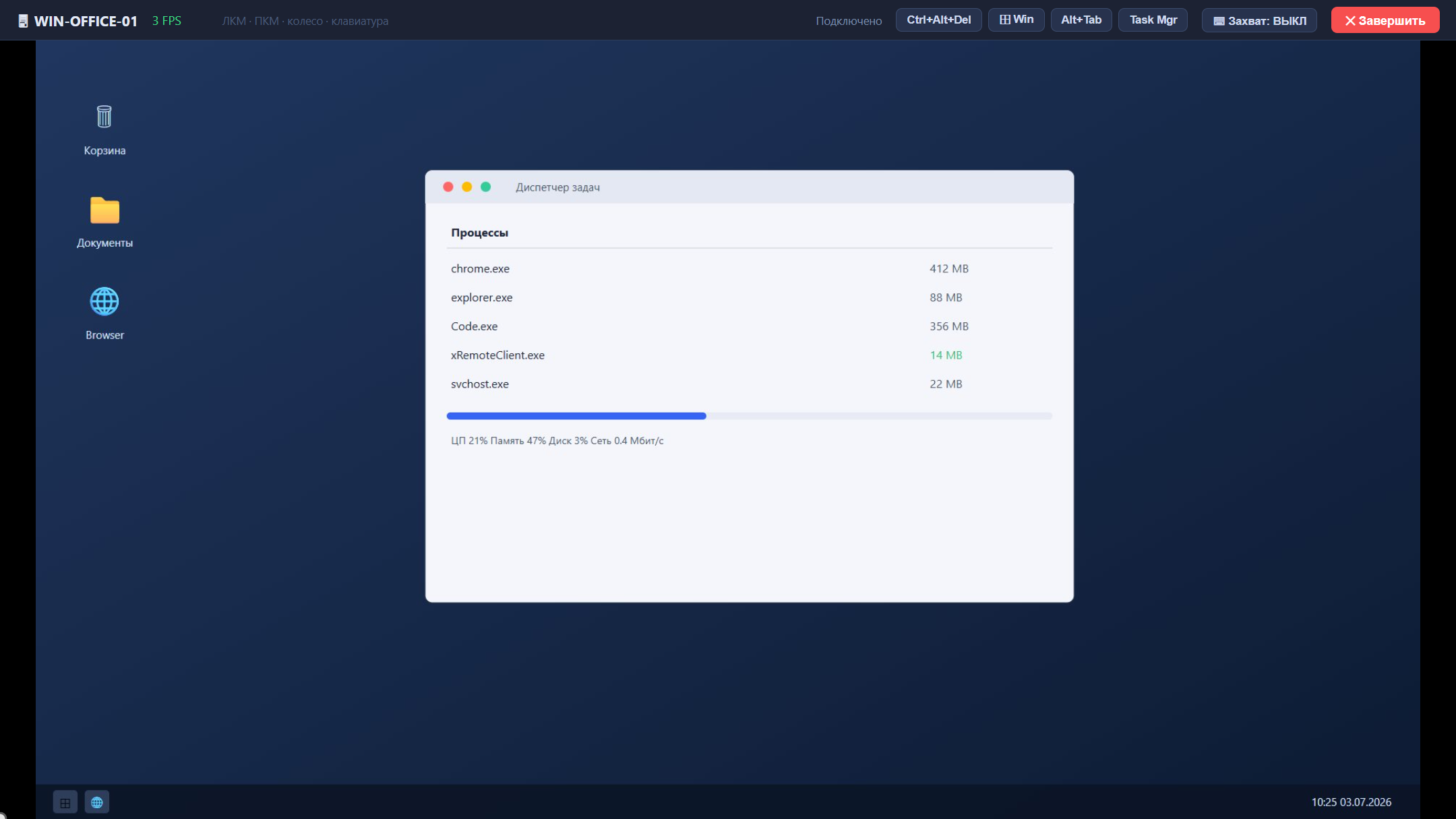
Real-time screen streaming with mouse and keyboard control from the browser. Capture mode with keyboard-lock and one-click Ctrl+Alt+Del, ⊞ Win, Alt+Tab and Task Manager.
📷
On-demand Screenshots
Instant client screen capture with one click. The screenshot lands right in the terminal and opens full-screen.
📋
Clipboard Sync
Read and write the remote machine's clipboard — handy for passing text, keys and paths between admin and client.
📥
Log Collection
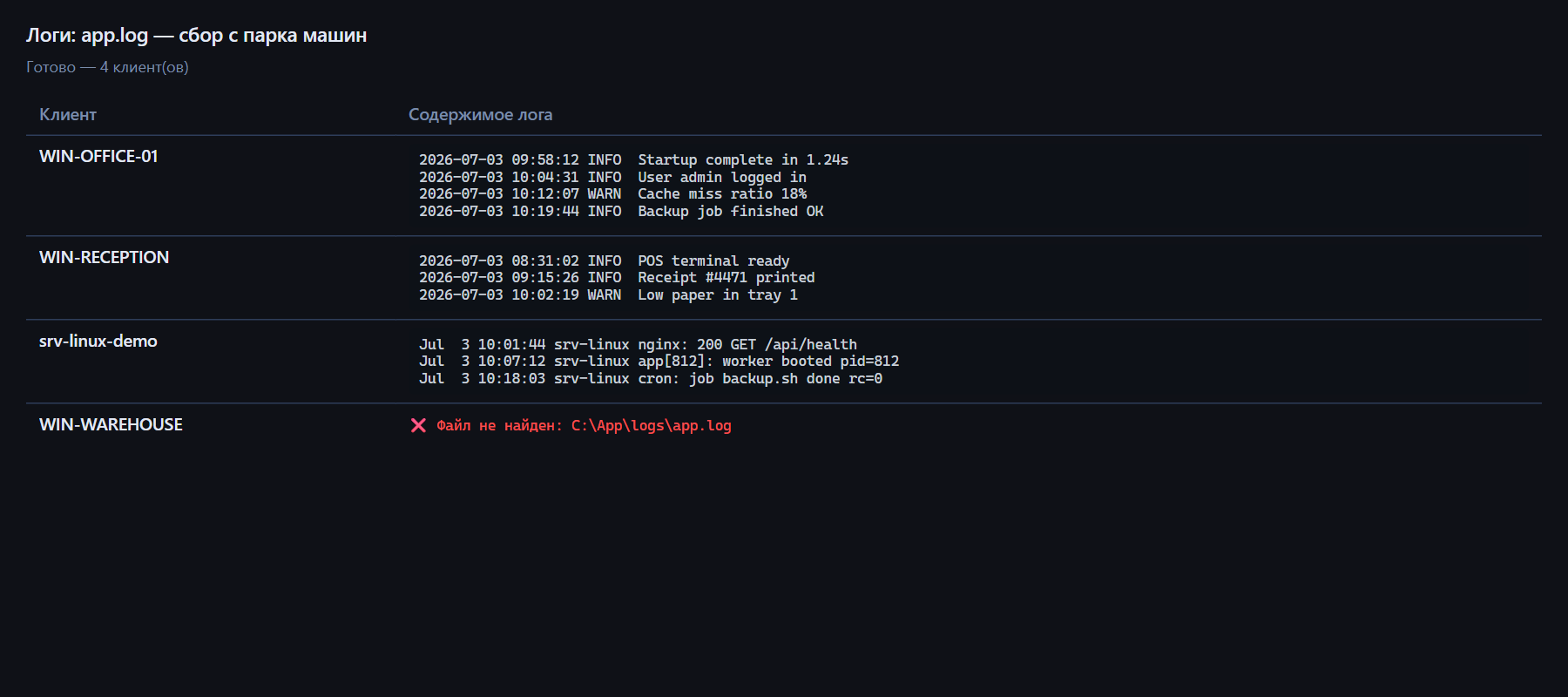
Gather log files from a given path across multiple clients at once. Results are merged and ready to download.
📊
Group Results as a Table
Batch command output and collected logs from every machine are consolidated into a single «machine → result» table, so success, errors and no-reply are visible at a glance.
🆘
User SOS Signal
A user on a managed machine can call for help with one button — the admin instantly sees a badge, a toast notification and a highlighted tab.
🔍
Multi-agent Management
Connect unlimited machines. Quick search by name, IP or username, per-client tabs, online/offline status and bulk selection.
🐧
Windows & Linux
A lightweight Windows client (.NET) and Linux agent (Go) connect over a single protocol. Clients auto-reconnect on connection loss.
⬆️
Client Auto-update
Roll out a new client version straight from the panel: one click broadcasts the update and clients upgrade themselves. The Windows client is downloadable as a ZIP right here.
🔑
Role-based Access
Superadmin manages tokens and grants access to admins. Bearer-token authentication — everyone sees only what they're permitted to.
🔒
No VPN, No Public IPs
Clients dial out to the server over WebSocket and the server acts as a relay. No port forwarding, no VPN and no public IPs on the managed machines.
See it in action
Main panel — client list, live terminal and preset buttons
Batch command execution across multiple clients with results and log collection
Consolidated results table: logs and command output from all machines in one place
File Manager — upload, download and drag & drop
Real-time remote desktop with mouse and keyboard control